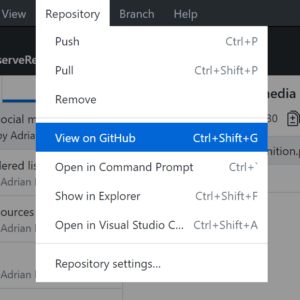
Don’t Use ARIA Menu Roles for Site Nav
Don’t Use ARIA Menu Roles for Site Nav 관련


Once again, the advice is in the title of the post. But I will ramble anyway since you scrolled this far. First run with the advice, and then review some background on ARIA and how navigation and menu items are defined. This way you can tap out quickly when it gets even more boring.
Why You Avoid menu Roles
A properly-coded web page navigation menu needs no ARIA. Once you add ARIA, however, you have put yourself on the hook to handle some complex interactions.
Assistive Technology
First, you need to understand that assistive technology (screen readers) that supports ARIA menu roles will announce the menus as such, which is a cue to the user that the interaction changes. Now instead of just using Tab↹ and Shift + Tab↹, you are effectively telling the savvy user that your menu also supports Enter, Space, ↓, ↑, →, ←, Home, End, Esc, and Shift + F10. I listed all those keys for a reason, which I explain in the ARIA section.
Keyboard
Second, you need to consider that these keyboard commands are not exposed to users in any way (unless you educate them), so a user who might want to use one of these keys for its traditional purpose on the web page will instead trigger the function in your menus. Imagine how confusing it might be to hit Space to scroll the page and have a new nested menu open instead.
ARIA Nesting
Third, you have to make sure that your ARIA roles are correctly nested and on the right elements. Missing a role or dropping one onto the wrong control can wreak havoc and make your site navigation completely unusable to the very users you are trying to support.
Decoration
Fourth, many menu constructs use a lot of additional HTML that is not needed, some of which come with their own semantics that you want to override. For example, you may have elements that do not hold navigation items but instead hold design items. This element may confuse the menu user when it is announced, while dropping a role="presentation" or aria-hidden can render an entire menu invisible if not applied in the right location.
Musical Interlude
The rest of the post is just information to back up my assertions. You could stop reading here and be fine, but if you want to understand my argument or just need to fall asleep, read on.
Oh, if you got to this post because you want to implement a more complex navigation menu than a few links, that’s not what I am doing here. However, there is a great post over at Inclusive Components that covers Menus & Menu Buttons and should get you going in the right direction.
Now for the music…
ARIA
ARIA, or Accessible Rich Internet Applications, is essentially a bridging technology between HTML and assistive technology. It allows developers to approximate native applications using HTML, among other benefits.
For the scope of this post I am leaning on the native application replication aspect of ARIA. Specifically, re-creating menus as they appear in installed desktop applications.
I’d also like to point out that ARIA has some “rules” for its use (those are not scare quotes, but it acknowledges that the rules are really strong recommendations). The second rule tends to apply where I am going: Do not change native semantics, unless you really have to.
ARIA Menus
ARIA has a few roles that define and describe menus. The definitions that follow come from ARIA 1.1.
menu (role)
A menu is often a list of common actions or functions that the user can invoke. The menu role is appropriate when a list of menu items is presented in a manner similar to a menu on a desktop application.
menubar (role)
The menubar role is used to create a menu bar similar to those found in Windows, Mac, and Gnome desktop applications. A menu bar is used to create a consistent set of frequently used commands. Authors should ensure that menubar interaction is similar to the typical menu bar interaction in a desktop graphical user interface.
menuitem (role)
An option in a set of choices contained by a menu or menubar.
There is no element in HTML5 that behaves like a menu bar in a native application. It makes sense to apply these roles when you are replicating a desktop application.
ARIA Navigation
ARIA has a single role to define and describe web site navigation. The following definition comes from ARIA 1.1.
navigation (role)
A collection of navigational elements (usually links) for navigating the document or related documents.
Conveniently, HTML5 has an element that does this job on its own — <nav>. Modern browsers and assistive technology recognize the element’s semantics and convey it accordingly, so there is no need to use the ARIA role any longer (for an audience that you believe is on reasonably current technology).
ARIA Menu Pattern
Putting all the ARIA roles into practice and understanding which to use can be tricky. The WAI-ARIA Authoring Practices 1.1 document is intended to be a guide for developers, providing copy-paste-ready code for common user interface patterns.
This document even defines a pattern for menus, providing guidance and sample code. This sample code includes the nesting requirements and the ever-complex necessary keyboard navigation support covering the following: Enter, Space, ↓, ↑, →, ←, Home, End, Esc, Tab↹, Shift + Tab↹, and Shift + F10. The issue with this pattern is that the document does not make it clear that this pattern should only be used when trying to replicate an application menu.
To clarify — if you are rebuilding the interface for Microsoft Word, then the File menu gets role="menu", lives inside a role="menubar" container, all while File → New, File → Open, File → Save, and so on each get role="menuitem".
I have filed an issue against the ARIA Practices document (w3c/aria-practices) to clarify all of this, on which you are welcome to comment or vote.
Web Site Navigation
A typical web site is not an application. Sure, some claim to be “web apps”, and even make sweeping statements about how that is different than being a web page, but for the most part, web sites, single-page applications (SPAs), blogs, news sites, and so on are not replicated installed native applications.
As it stands today, using standard valid HTML for site navigation is a perfectly accessible method of navigating a site. The simplest pattern involves using the <nav> element, which acts as a landmark for screen readers and announces its purpose, nested <ul>s and <li>s for the navigation items, which provide a count and position within the list, and a proper <a href="…"> for each link, which provides an accessible name and a keyboard stop.
The pattern itself is as simple as this:
<nav>
  <ul>
    <li><a href="/about.xhtml">About</a></li>
    <li><a href="/news.asp">News</a></li>
    <li><a href="/register.cfm">Register</a></li>
    […]
  </ul>
</nav>
Yes, I intentionally used antiquated file extensions.
Really, This Is a Thing
Somehow many developers have come to the conclusion that a web page is inaccessible unless it uses ARIA. This is a combination of patterns that do not use semantic HTML, a misunderstanding of ARIA, and not having practical experience with assistive technology.
A stroll through Stack Overflow shows the use of menu roles is way too common, and when I encounter them I try to guide users away from using them at all.
For a time, the Adobe Accessible Mega Menu made use of roles that did not fit, and while it was fixed a while ago, there are many implementations that have not been updated. Further, people may be copying that code from older sites or projects, continuing to perpetuate the problem.
Tutorials often get it wrong, such as the always useless W3 Schools in its Bootstrap documentation. Not that Bootstrap is off the hook, given that its 2.x documentation recommended menu roles and I still see that code copy-pasted into projects today.
The point is, mis-use of ARIA menu roles is common. Common enough that I encounter them in accessibility audits, added by developers who have no idea what they do nor why they are there. Let’s break that cycle.
Update: September 27, 2018
Nearly a year since I wrote this, and bad information in the APG spec still persists.
Most recently a developer at Twitter was asking for help on how to set up a control using the APG menu role description. I argued that his example was not a menu, and he offered the text from the APG spec:
I filed an issue against the ARIA Practices document (w3c/aria-practices) in April 2017 to address this language specifically. That issue was not accepted and instead turned into a Gish Gallop from the active editor of the guide. As a result, we have a developer from one of the larger platforms on the web about to encode demonstrably confusing and anti-user behavior. And it is not his fault. He is trying to do it correctly
Marco Zehe not only weighed in (MarcoInEnglish) on the mis-use of the menu role in the thread (as did Léonie Watson (LeonieWatson)), but he wrote a blog post with essentially the same message — do not use ARIA menu roles: WAI-ARIA menus, and why you should generally avoid using them
WAI-ARIA menus, and why you should generally avoid using the (marcozehe.de)
The solution is plain and simple: Generally, don’t use
menu,menuitem,menubar,menuitemcheckbox, ormenuitemradio. Only if you build something like Google Docs and deal with what you get when you press Alt+F (or Alt+Shift+F in Firefox), these are warranted. In most likely all other cases, they are not.
If you want to build a Windows95-style menu bar with only menu items, checkboxes or radios, that will not be used on mobile, and that you can guarantee will support all the necessary keyboard interactions outlined in the APG, then go nuts. Otherwise, do not.
On top of that, please understand that the WAI-ARIA Authoring Practices is a note, not a specification. It is not a standard. It is the output of an opinionated set of editors (which in itself is not bad)
Update: June 26, 2019
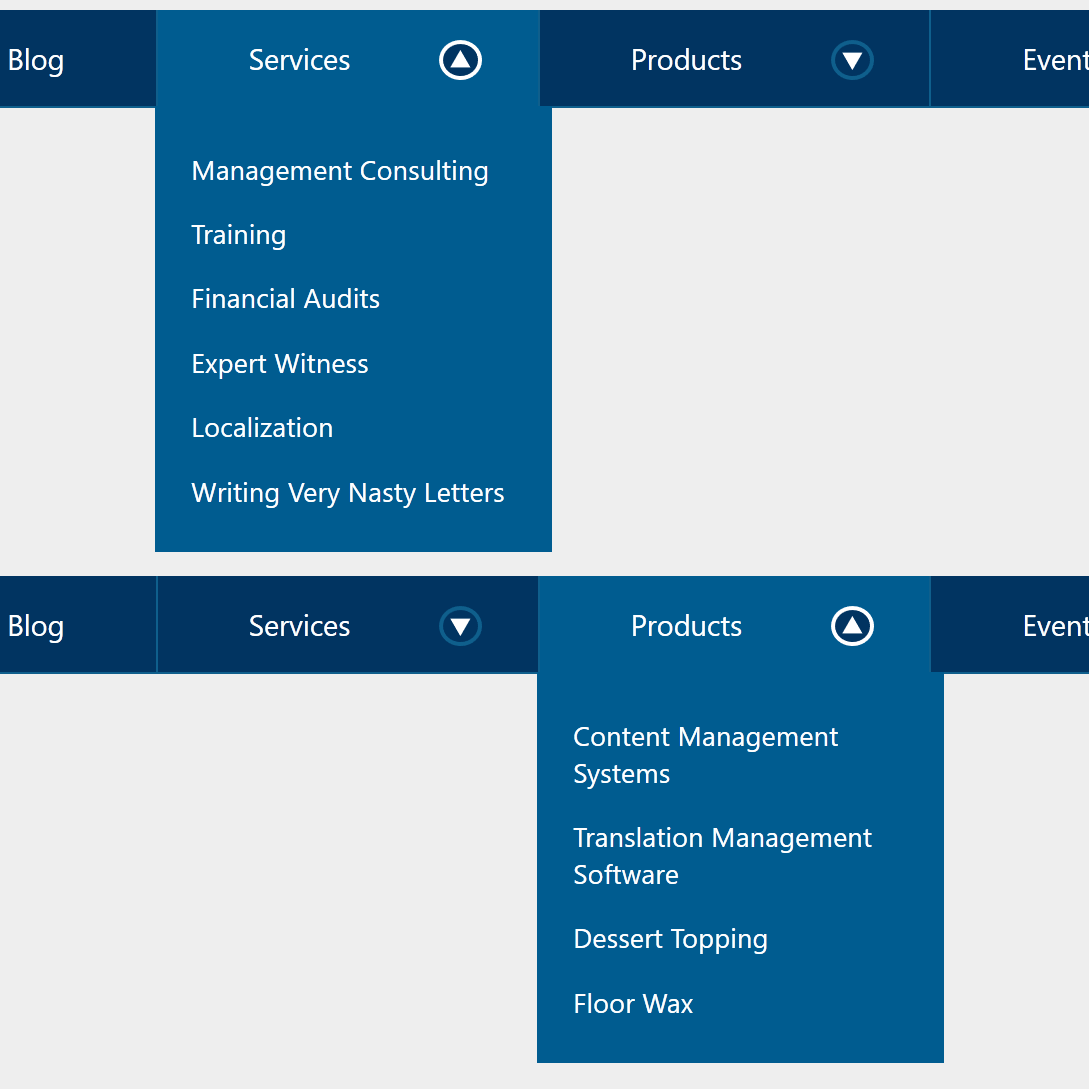
I finally got around to coding my disclosure-widget navigation. It sounds impressive when I use that term, but essentially it is a list of links, and some of those links have more links associated with them (sub-pages) that are hidden until the user chooses to see them. Simple concept, simple code, less awful for keyboard and screen reader users. Decide for yourself: Link + Disclosure Widget Navigation
Update 20 May 2022: APG Relaunches
On Global Accessibility Awareness Day (GAAD) 2022, the APG relaunched and rebranded itself as an accessible pattern library:
I am thrilled this no longer looks like a standards doc and is much easier to navigate.
I am less thrilled this left a pile of 404s (w3c/aria-practices) with the move, implies it is a ready-to-use pattern library, obfuscates the (watered down) warnings (w3c/aria-practices) I fought so hard to get added, quietly hid some of its worst patterns with no acknowledgment in years-old issues, appears to have happened outside the W3C redesign project with Studio24, and introduced WCAG issues (w3c/aria-practices).
18 December 2024: Piccalilli Debunking
The post Practical Accessibility Tips You Can Apply Today, published in October 2024, offers guidance on site navigation (dropdown menus) that is problematic.
The post does not cover the required script to make these function, implying the ARIA alone will do it. It also suggests using aria-hidden (versus hidden or display: none) when the menu is collapsed, which is risky since that only hides it from screen readers.
I provided feedback (there is no comment form), which Piccalilli acknowledged, but the content is still there a couple months later. This update is for people who see my original guidance above is from 2017, assume the Piccalilli post represents state of the art (given it is 7 years newer), and dismiss mine for being stale. In this case, the more recent post is simply wrong.
6 June 2025: Piccalilli updated the post some time after 4 April 2025, since that’s the last version before today in the Wayback and it has the bad info. No acknowledgment of the change anywhere and the publication date is still the same.
11 August 2025
There is a Google-lead Open-UI proposal, #1193 [menu] Navigation vs menu items use case (openui/open-ui), which seems to have missed all the points I raised here and in the linked APG issue.
Thankfully I had the “free” time to jump in and throw warnings (openui/open-ui), including references to material that Google should have uncovered in the barest due diligence. I grump about this on the socials. Granted, this was a month before My Request to Google on Accessibility.