One column to control the height of another
11/5/21About 1 minCSSArticle(s)blogcss-tip.comcss
One column to control the height of another 관련

CSS > Article(s)
Article(s)

One column to control the height of another
Make one column control the height of another one with a simple property
Make one column control the height of another column whatever its content using the contain prorperty. No JavaScript is needed.
Below, the right column will follow the height of the left column.
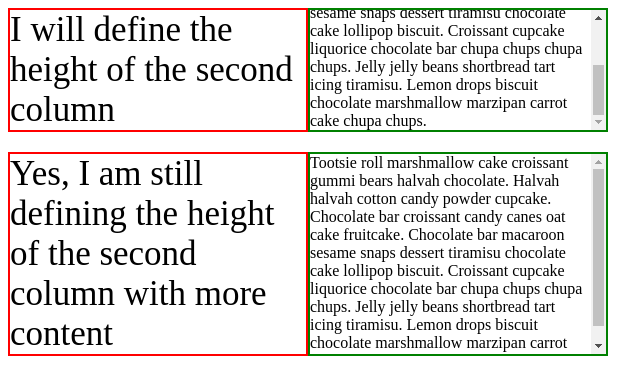
.grid {
  display: grid;
  grid-template-columns: 1fr 1fr;
}
.grid .right {
  contain: size; /* Disable the size contribution of the content inside the right column */
}
.grid .left {
  /* nothing here */
}
We can also replace contain: size with the below:
.grid {
  display: grid;
  grid-template-columns: 1fr 1fr;
}
.grid .right {
  height: 0; /* No size contribution */
  min-height: 100%; /* force the element to be full height after size calculation */
}
.grid .left {
  /* nothing here */
}
See CSS grid - dynamic columns by t_afif on CodePen.
More CSS Tips
- Circular dashed border Use mask and gradient to create a fancy dashed border. November 25, 2021
- CSS-only scrolling shadow Create a scrolling shadow effect using only CSS gradients. November 24, 2021
- Corner-only border around an image Use CSS gradient and mask to create a Corner-only border around your image. November 03, 2021
One column to control the height of another
Make one column control the height of another one with a simple property