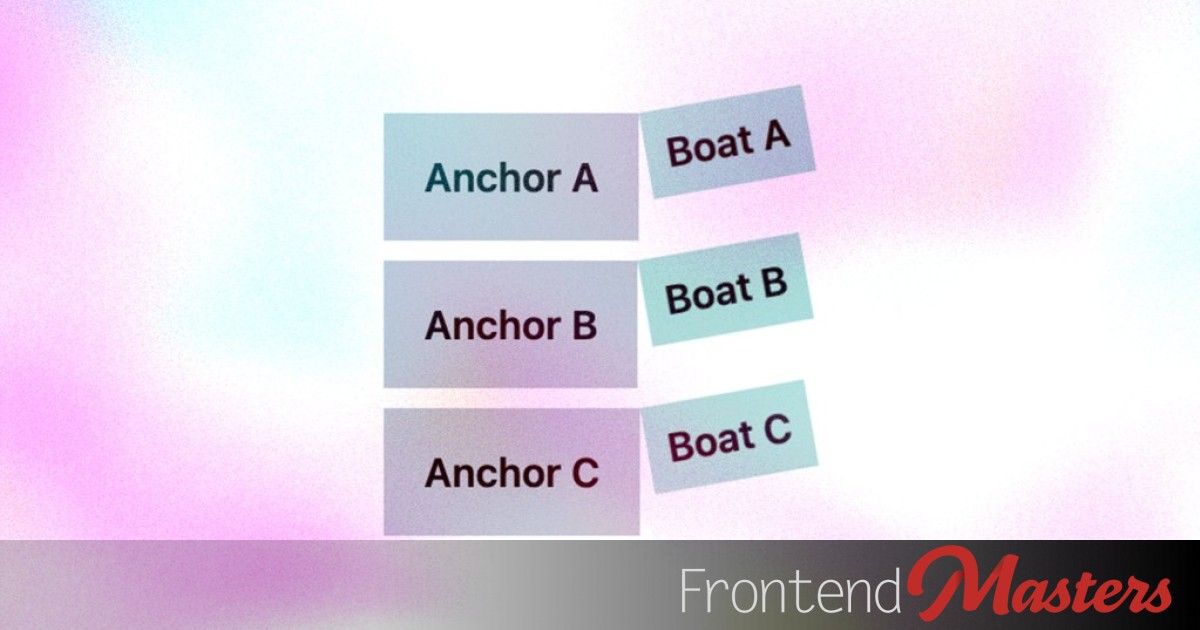
Managing Anchor Associations With Data Attributes and Advanced attr()
Managing Anchor Associations With Data Attributes and Advanced attr() 관련

When Chrome Canary implemented the anchor attribute, which enabled us to establish anchor relationships using HTML instead of CSS, I thought that it was an awesome idea. However, it seems that it won’t be standardized, and that Chrome has removed it along with Firefox, which, it appears, was working on it. It sounds like the reason is that invokers are implicitly anchored already (whatwg/html), but, what about other elements?
In this article, I’ll show you an alternative method that leverages the new, more advanced syntax for the attr() CSS function.
But first…
How the anchor attribute would’ve worked
Instead of anchoring an element with position-anchor to another element with anchor-name and both of them having the same value, we’d anchor an element with the anchor attribute to another element with the id attribute (and also the same value).
Like this:
<!-- Anchor this... (not real, anymore) -->
<div anchor="anchorA"></div>

<!-- ...to this -->
<div id="anchorA"></div>
Instead of this:
/* Anchor this... (now real) */
#boatA {
  position-anchor: --anchorA;
}

/* ...to this */
#anchorA {
  anchor-name: --anchorA;
}
It wouldn’t have been a better solution (more like an alternative for those that wanted it), but semantic HTML has always been about how elements relate to other elements, so the anchor attribute made a lot of sense to me. Think: popovertarget and id (for popovers), commandfor and id (for the new invoker commands), interestfor and id (for the future interest invokers), or even the classic for and id (for labels). Without the anchor attribute, anchoring a bunch of boats to a bunch of anchors looks a bit verbose, like this:
#boatA {
  position-anchor: --anchorA;
}

#anchorA {
  anchor-name: --anchorA;
}

#boatB {
  position-anchor: --anchorB;
}

#anchorB {
  anchor-name: --anchorB;
}

#boatC {
  position-anchor: --anchorC;
}

#anchorC {
  anchor-name: --anchorC;
}
To be clear, I mean that every boat looks the same and every anchor looks the same, but each boat needs to be anchored to a specific anchor (think: some kind of reusable, decorative motif that can be anchored to anything). I know, I know, anchors can be scoped using anchor-scope, but that’d only work in certain circumstances.
The anchor attribute wouldn’t have been a magic bullet, because we still would’ve needed to anchor each anchor to its corresponding id, but it would’ve been shorter and cleaner. My advanced attr() idea isn’t as elegant as the anchor attribute would’ve been, but that ship has sailed (ba dum tish!), so let’s move on.
Setting up anchors using advanced attr()
My advanced attr() idea combines both concepts. I would’ve moaned about the anchor attribute regardless, but knowing how it works is important.
First, instead of using the anchor and id attributes, use data attributes. In addition, make sure that the matching values are formatted as dashed idents (e.g., --anchorA), since that’s what position-anchor and anchor-name accepts.
<div data-boat="--anchorA">Boat A</div>
<div data-anchor="--anchorA">Anchor A</div>

<div data-boat="--anchorB">Boat B</div>
<div data-anchor="--anchorB">Anchor B</div>

<div data-boat="--anchorC">Boat C</div>
<div data-anchor="--anchorC">Anchor C</div>
That’s right, we’ll still be using position-anchor and anchor-name, but only once, eliminating any verbosity. In the CSS below, the position property is basically the prerequisite for position-anchor, whereas the inset declaration defines where the boats are positioned relative to their anchor. Anchor positioning stuff, you know?
Now for the magic.
Instead of choosing a specific value for position-anchor, we use the attr() function to copy over the value from the data-boat attribute. The position-anchor syntax demands a dashed ident, which is cool because that’s what we’ve used (--anchorA, --anchorB, --anchorC, and so on). Now every element with the data-boat attribute has position-anchor set to a unique value, even though we’ve only written one CSS rule.
We’ve had the CSS delegate the logic to the HTML.
However, by default, attr() values are <string>s, so the declaration resolves to something like this: position-anchor: "--anchorA". That’s why we use the type() function to specify the value’s data type, like this: position-anchor: attr(data-boat type(<custom-ident>)) (<custom-ident> is the appropriate data type for dashed idents). The reason for this is that the attr() function can now be used with any CSS property, whereas it could only be used with the content property before, which only accepted <string>s. And that, by the way, is one of the things that makes advanced attr() more advanced.
Advanced attr() is supported by Chrome, and Firefox 152 will ship it on June 16, 2026. Safari Technology Preview supports it too, but I don’t know when stable Safari will support it. My estimation is Safari 27 in September 2026, but it could drop at any moment to be honest, making it “Baseline: Newly Available.”
After that, we simply do the same thing with anchor-name (anchor-name: attr(data-anchor type(<custom-ident>))) so that we can link the boats to the anchors. Here’s the full CSS code:
[data-boat] {
  position: fixed;
  inset: anchor(top) auto auto anchor(right);
  position-anchor: attr(data-boat type(<custom-ident>));
}

[data-anchor] {
  anchor-name: attr(data-anchor type(<custom-ident>));
}
Using advanced attr() for other types of associations
We can totally use advanced attr() to manage other types of associations, but I found it most useful for anchor associations (as above) and maybe animation timelines, like this:
<div data-scroller="--animationA">Scroller A</div>
<div data-animation="--animationA">Animation A</div>

<div data-scroller="--animationB">Scroller B</div>
<div data-animation="--animationB">Animation B</div>

<div data-scroller="--animationC">Scroller C</div>
<div data-animation="--animationC">Animation C</div>
/* Associate each scroller... */
[data-scroller] {
  scroll-timeline-name: attr(data-scroller type(<custom-ident>));
}

/* ...with its linked animation timeline */
[data-animation] {
  animation-timeline: attr(data-animation type(<custom-ident>));
}
But as more CSS features leverage dashed idents (and custom idents overall), this advanced attr() trick could turn out to be useful in more ways later on.
ident() could make the code cleaner, too
I came across the ident() CSS function in CSS Values and Units Module Level 5. It’s not supported by any web browser yet, but it sounds like it would make working with custom idents even easier:
<!-- Use a simple string value -->
<div data-something="something"></div>
[data-something] {
  /* Convert the string to a custom ident */
  property: ident(attr(data-something));

  /* Convert the string to a dashed ident */
  property: ident("--" attr(data-something));
}
I think that looks cleaner?
Here’s what our anchor association code would look like:
<div data-boat="anchorA">Boat A</div>
<div data-anchor="anchorA">Anchor A</div>

<div data-boat="anchorB">Boat B</div>
<div data-anchor="anchorB">Anchor B</div>

<div data-boat="anchorC">Boat C</div>
<div data-anchor="anchorC">Anchor C</div>
[data-boat] {
  position: fixed;
  inset: anchor(top) auto auto anchor(right);
  position-anchor: ident("--" attr(data-boat));
}

[data-anchor] {
  anchor-name: ident("--" attr(data-anchor));
}
Further reading